

Why You Need Two-Factor Authentication on Ninewin
Online account security is no longer optional, especially when real money and personal data are involved. Ninewin offers Two-Factor Authentication (2FA) as an extra layer of protection for your account. Instead of relying on just a password, you will need a one-time code generated by an authenticator app. This guide walks you through the entire setup process, what to expect, and how to fix common hiccups. The entire procedure, from downloading an authenticator app to scanning the QR code, takes roughly 3 to 5 minutes. You will need your smartphone, the Google Authenticator or Authy app, and access to your Ninewin account email.
Step-by-Step: Activating 2FA on Your Account
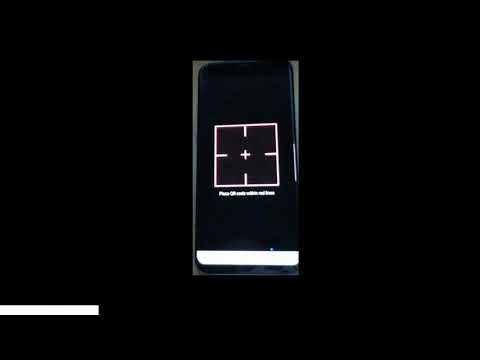
First, log in to your Ninewin account using your usual credentials. Click on your profile icon in the top-right corner and select “Account Security” from the dropdown menu. Find the “Two-Factor Authentication” section and click “Enable”. A QR code will appear on your screen. Open your authenticator app, tap the “+” icon, and scan the QR code. The app will generate a six-digit code that refreshes every 30 seconds. Type this code into the Ninewin field and click “Confirm”. A confirmation message will appear along with a list of 10 backup codes. Save these backup codes immediately — either write them down or store them in a password manager. If you lose your phone, these codes are the only way to regain access. After this step, every login will require both your password and a fresh code from your authenticator app.
Required Documents and Typical Verification Times
Before you can fully use all features of Ninewin casino, including withdrawals and bonuses, you must complete identity verification (KYC). Prepare a clear colour photo or scan of your government-issued ID (passport or driving licence), a recent utility bill or bank statement showing your name and address (dated within the last three months), and a clear photo of the payment method you used for your first deposit (e.g., the front of your credit card with the middle digits hidden). Upload these via the “Verification” tab in your account settings. Most documents are reviewed within 24 hours, but during peak times it can take up to 48 hours. Once approved, you receive an email confirmation and your account limits are lifted.
| Step | Action | Typical Duration |
|---|---|---|
| 1 | Download authenticator app (Google Authenticator or Authy) | 1 minute |
| 2 | Scan QR code from Ninewin security page | 30 seconds |
| 3 | Enter the 6-digit code and confirm | 1 minute |
| 4 | Save backup codes provided | 2 minutes |
| 5 | Upload KYC documents (ID, proof of address, payment method photo) | 5 minutes |
| 6 | Wait for KYC approval | 24–48 hours |
Common Problems and How to Fix Them
The most frequent issue users encounter is a mismatched time between their phone and Ninewin’s server. If the code you enter is always rejected, synchronise your authenticator app: in Google Authenticator, go to Settings > Time correction for codes > Sync now. Another common problem is losing access to your phone. Use one of your backup codes to log in, then immediately disable and re-enable 2FA with a new device. If you forgot to save backup codes, contact Ninewin support through live chat — they will ask you a series of security questions and may request a selfie holding your ID. This process usually takes 15–20 minutes. A third issue is the QR code not loading on the Ninewin page. Try refreshing your browser, clearing the cache, or switching to a different browser (Chrome or Firefox work best). Do not use private or incognito mode for the setup.
Bonuses and Promo Codes After Secure Login
Once your account is secured with 2FA and your documents are verified, you can claim your first deposit bonus. The current offer at Ninewin includes a 100% match up to a certain amount plus a set number of free spins on a popular slot game. To activate this, you need a valid Ninewin promo code, which is often displayed on the promotions page or sent via email after registration. Enter the code in the “Bonus Code” field before making your deposit. Wagering requirements for the bonus are typically 35x the bonus amount on slots only — table games and live dealer games contribute a much lower percentage or are excluded. Check the terms carefully. The Ninewin no deposit bonus, if available, is usually a smaller amount (e.g., £10 free) given to new players after email verification, no deposit needed. Some players also receive a Ninewin bonus as part of a reload offer every week on their first deposit of the week.
Final Tips for a Smooth Experience
- Use a dedicated authenticator app — avoid SMS-based 2FA if possible, as SIM-swap attacks are real. Google Authenticator or Authy are free and reliable.
- Backup your backup codes — store them in a password manager (like Bitwarden or LastPass) and also print a physical copy kept in a safe place.
- Keep your authenticator app updated — outdated apps can cause sync errors. Update via your phone’s app store.
- Test the full login cycle — after setup, log out completely and log back in using your password and a fresh 2FA code to ensure everything works before making a deposit.
- Contact support if stuck — Ninewin’s live chat is available 24/7 and the average response time is under two minutes. Have your account email and backup codes ready.
For the official setup page and latest instructions, visit https://ninewin.london/ and navigate to the Security section of your profile.